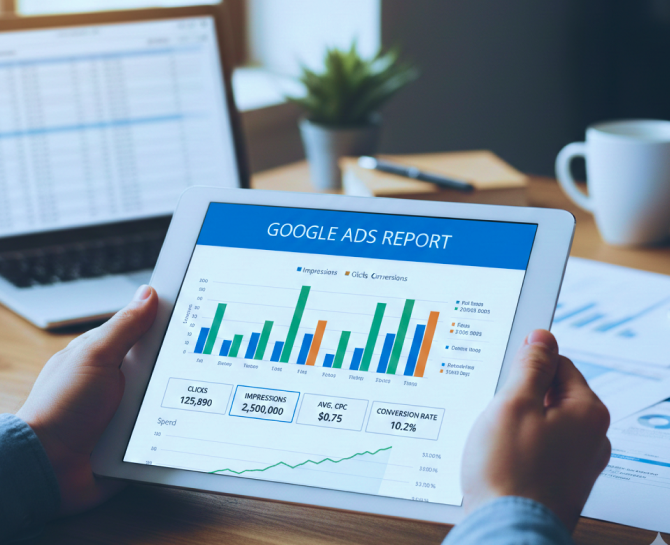
Common Google Ads Report Mistakes That Cost You Money
A detailed Google Ads report breakdown that explains how reporting mistakes inflate budgets and distort performance. Covers tracking accuracy, attribution clarity, segmentation strategy, and executive reporting improvements to support profitable campaign decisions.
You review performance. You download the data. You scan the numbers.
And still, something feels off.
A Google Ads report is supposed to bring clarity. Instead, it often creates a false sense of control. Metrics look healthy, charts show movement, and spend appears justified. Yet profitability tells a different story.
The reality is simple. A Google Ads report does not cost you money. The way it is interpreted does.
When key signals are overlooked, when metrics are taken at face value, or when tracking gaps go unnoticed, budgets start leaking quietly. These leaks are rarely dramatic. They build slowly through small reporting mistakes that compound over time.
Many advertisers focus on what is visible in a standard Google Ads report without questioning what is missing, misattributed, or misunderstood. That is where costs rise and return shrinks.
This article breaks down the most common Google Ads report mistakes that directly impact your bottom line, and explains how to turn your reporting process into a true performance safeguard rather than a routine task.
Key Takeaways
- A Google Ads report can appear strong on the surface while hiding costly inefficiencies underneath.
- Revenue driven metrics matter more than impressions and clicks when evaluating true performance.
- Accurate conversion tracking is essential for making reliable budget decisions.
- Segmentation and search term analysis reveal hidden cost leaks that aggregated data conceals.
Why Accurate Google Ads Reporting Matters
A Google Ads report is not just a performance summary. It is a financial control system.
Every bidding adjustment, budget increase, paused keyword, or expanded campaign is based on what the Google Ads report shows. If the data is incomplete or misinterpreted, decisions become assumptions rather than informed actions.
Accurate reporting ensures that spending aligns with revenue goals. It helps identify which campaigns drive profitable conversions and which ones simply generate activity. Without clarity inside the Google Ads report, optimization efforts may improve surface metrics while weakening overall return.
Reliable data also protects scaling decisions. Increasing budget based on inflated conversion numbers or misattributed results can multiply losses quickly. On the other hand, pausing campaigns due to misunderstood performance can restrict growth opportunities.
An accurate Google Ads report provides:
- Clear visibility into cost versus revenue impact.
- Reliable conversion tracking validation.
- Segmented insights for smarter optimization.
- Early detection of inefficiencies and budget waste.
When reporting is precise and properly analyzed, it becomes a strategic asset. When it is not, it becomes an expensive blind spot.
Mistake 1: Focusing Only On Vanity Metrics
A Google Ads report often highlights impressions, clicks, and click through rate at the top. These numbers are easy to track and can make performance look strong at first glance. However, they rarely reflect true profitability.
High impressions do not guarantee qualified traffic. A strong click through rate does not confirm revenue impact. When decisions are based primarily on these surface indicators, campaigns may appear successful while failing to generate meaningful returns.
Vanity metrics create a reporting illusion. Spend increases. Traffic increases. Yet the business outcome remains unchanged. If the Google Ads report is not aligned with financial goals, budget allocation becomes inefficient.
Solution: Shift Focus To Revenue-Driven Metrics
The Google Ads report should prioritize performance indicators tied directly to business outcomes.
Refocus reporting by:
- Tracking conversions that reflect real business value.
- Measuring cost per acquisition against target thresholds.
- Monitoring return on ad spend consistently.
- Evaluating revenue contribution at campaign and ad group levels.
Create a reporting structure where traffic metrics support analysis but do not drive decisions alone. When the Google Ads report emphasizes profitability instead of activity, optimization becomes strategic and financially sound.
Mistake 2: Ignoring Conversion Tracking Errors
A Google Ads report is only as accurate as the tracking behind it. If conversion tracking is incomplete or misconfigured, the entire performance picture becomes unreliable.
Many advertisers assume that once tracking is installed, it continues functioning correctly. However, website updates, landing page changes, new thank you pages, or tag conflicts can silently disrupt data collection. The Google Ads report may show increasing conversions while actual leads or revenue remain flat.
Common problems include duplicate conversions firing multiple times, missing tags on critical pages, incorrect attribution windows, or counting minor actions as primary conversions. These issues inflate performance metrics and create the illusion of success. When decisions are based on distorted numbers, budgets are often increased prematurely.
Solution: Audit And Validate Conversion Data Regularly
Conversion data should be reviewed with the same discipline as financial statements. Regular manual testing of conversion paths helps confirm that tracking fires correctly and only once. Attribution settings must reflect the real customer journey, especially for businesses with longer sales cycles.
It is also important to compare Google Ads report conversions with CRM records or backend sales data. Any mismatch between reported and actual results is a warning sign that requires immediate investigation. When conversion tracking is accurate, the Google Ads report becomes a reliable foundation for optimization and scaling decisions.
Mistake 3: Not Segmenting Data Properly
A Google Ads report that shows aggregated data may look clean and simple. However, combined metrics often hide performance gaps that directly affect cost efficiency.
When campaigns are reviewed at a high level, strong performing segments can mask underperforming ones. For example, desktop traffic may convert profitably while mobile traffic drives high spend with low return. If both are analyzed together, the Google Ads report may suggest stable performance while budget is leaking in specific segments.
The same issue applies to locations, audiences, devices, time of day, and even match types. Without segmentation, it becomes difficult to identify where costs are rising without corresponding revenue growth. Decisions made on blended data often lead to budget increases instead of targeted optimization.
A non segmented Google Ads report limits visibility. It answers how the campaign is performing overall but fails to explain why.
Solution: Break Down Performance By High Impact Variables
Segmenting the Google Ads report allows deeper performance analysis and smarter budget allocation. Reviewing device level data, geographic performance, audience segments, and time based trends reveals hidden inefficiencies.
When data is broken down into meaningful categories, it becomes easier to pause underperforming segments, adjust bids strategically, and allocate spend toward higher converting areas. Segmentation transforms the Google Ads report from a surface overview into a diagnostic tool that protects profitability.
Mistake 4: Overlooking The Search Term Report
Your keywords may look well structured inside the campaign. Bids are optimized. Match types are defined. On the surface, everything appears controlled.
However, the actual queries triggering your ads often tell a different story.
Many advertisers review keyword level performance in a Google Ads report but ignore the search term report. This is where real user intent becomes visible. Without analyzing search queries, irrelevant traffic can quietly consume budget while conversion rates decline.
Broad and phrase match keywords can trigger ads for loosely related searches. Even exact match keywords can expand based on close variants. If these queries are not reviewed regularly, the Google Ads report may show steady click volume without revealing that many clicks lack buying intent.
This mistake increases cost per acquisition and reduces overall efficiency. The campaign continues spending, but the quality of traffic gradually weakens.
Solution: Analyze And Refine Search Queries Consistently
The search term report should be reviewed as part of routine performance analysis. Identifying irrelevant or low intent queries allows the addition of negative keywords that block future waste. High converting queries can also be isolated into dedicated ad groups with tailored messaging.
By actively managing search queries, the Google Ads report begins reflecting higher quality traffic and improved conversion performance. Ignoring this level of detail leaves room for ongoing budget leakage that compounds over time.
Mistake 5: Misinterpreting Attribution Models
Attribution determines how credit for a conversion is assigned across touchpoints. If this is misunderstood, the Google Ads report can present a distorted view of performance.
Many advertisers rely on last click attribution without evaluating whether it reflects their customer journey. In shorter sales cycles, this may seem reasonable. However, for businesses with multiple interactions before purchase, last click reporting can undervalue campaigns that assist conversions earlier in the funnel.
For example, a display or generic search campaign may introduce a user to the brand, while a branded search campaign captures the final conversion. If the Google Ads report credits only the last interaction, upper funnel campaigns may appear unprofitable and risk being paused, even though they contribute significantly to revenue.
This misinterpretation leads to flawed budget shifts. Funds are moved toward campaigns that appear strong in isolation while awareness and consideration stages weaken over time.
Solution: Align Attribution With The Actual Buying Journey
Review attribution settings within your Google Ads report and evaluate whether they match your sales cycle length and decision process. Compare performance under different attribution models to understand how credit distribution changes.
When attribution reflects the real customer journey, budget allocation becomes more balanced. The Google Ads report then supports smarter decisions across the funnel instead of over rewarding the final click alone.
Mistake 6: Not Monitoring Quality Score Trends
Quality Score directly influences how much you pay for each click, yet it is often overlooked in a Google Ads report. Many advertisers focus on cost and conversions without examining the underlying factors affecting ad rank and pricing.
When these elements decline, cost per click can increase even if competition remains stable. The Google Ads report may show rising spend, but the root cause lies in declining relevance rather than bidding strategy alone.
Ignoring Quality Score trends leads to gradual cost inflation. Campaigns may require higher bids to maintain position, reducing overall efficiency. Over time, this increases cost per acquisition and compresses return on ad spend.
Solution: Strengthen Relevance Across Ads And Landing Pages
Quality Score should be reviewed consistently within your Google Ads report to detect downward trends early. Improving ad copy alignment with keywords, refining keyword group structure, and ensuring landing pages match search intent can stabilize and improve performance.
When relevance improves, click costs often decrease and ad positions strengthen without aggressive bidding. Monitoring Quality Score transforms the Google Ads report from a reactive tool into a proactive cost control mechanism.
Mistake 7: Failing To Compare Periods Correctly
Performance does not exist in isolation. A Google Ads report only becomes meaningful when results are evaluated against the right time frame.
Many advertisers compare short date ranges without accounting for seasonality, promotions, or changes in budget. A sudden spike in conversions may look like improvement, when it is actually driven by temporary demand. Likewise, a short term decline may trigger unnecessary optimization when performance is simply stabilizing after a peak period.
Incorrect comparisons can also occur when uneven time frames are evaluated against each other. Comparing a full month to a partial week, or a holiday period to a standard business cycle, distorts conclusions. The Google Ads report may suggest growth or decline that does not reflect long term trends.
These misinterpretations influence budget allocation and campaign adjustments. Decisions made on incomplete comparisons often create instability rather than improvement.
Solution: Use Structured And Contextual Time Comparisons
The Google Ads report should be reviewed using consistent and relevant comparison windows. Month over month and year over year analysis helps account for seasonality and recurring trends. When campaigns include promotions or special offers, performance should be evaluated separately from baseline periods.
By comparing equivalent time frames and considering external factors, reporting becomes more reliable. This structured approach ensures that decisions are based on meaningful trends rather than temporary fluctuations.
Mistake 8: No Clear KPI Alignment
A Google Ads report can contain dozens of metrics. Without clear priorities, it becomes easy to track everything and measure nothing that truly matters.
Many businesses run campaigns without defining what success looks like. Lead generation campaigns may focus on click volume instead of qualified inquiries. E commerce campaigns may monitor traffic growth without evaluating profit margins. When key performance indicators are not aligned with business objectives, the Google Ads report becomes disconnected from revenue impact.
This misalignment creates confusion in optimization. Campaigns may be adjusted to improve secondary metrics while primary goals remain unmet. Budget may shift toward higher traffic sources even if they produce lower quality leads. Over time, the gap between reported performance and actual business growth widens.
Solution: Define And Prioritize Business Driven KPIs
Every Google Ads report should begin with clearly defined objectives tied directly to revenue outcomes. For lead generation, this may include cost per qualified lead and lead to customer conversion rate. For e commerce, this may involve return on ad spend and average order value.
When KPIs are established before analyzing data, the Google Ads report becomes focused and actionable. Optimization decisions align with financial goals rather than surface level performance indicators. This clarity protects budget allocation and ensures campaigns contribute meaningfully to overall growth.
Conclusion
A Google Ads report is not just a performance snapshot. It is a financial signal system that determines where your budget grows and where it drains. When interpreted with precision, it protects profitability. When reviewed casually, it creates blind spots that compound over time.
The difference between stable growth and wasted spend often lies in how deeply performance data is questioned. Every metric deserves context. Every conversion deserves validation. Every budget shift deserves evidence.
At DiGGrowth, reporting is treated as a strategic advantage rather than a routine task. Clarity replaces assumption. Data connects directly to revenue outcomes. That is how campaigns scale with control instead of risk.
If your Google Ads report feels busy but not profitable, it is time to look closer. Start turning your performance data into measurable growth. Connect with the DiGGrowth team at info@diggrowth.com and take control of your ad spend before it controls your results.
Ready to get started?
Increase your marketing ROI by 30% with custom dashboards & reports that present a clear picture of marketing effectiveness
Start Free Trial
Experience Premium Marketing Analytics At Budget-Friendly Pricing.

Learn how you can accurately measure return on marketing investment.

How Predictive AI Will Transform Paid Media Strategy in 2026
Paid media isn’t a channel game anymore, it’s a chessboard. Search, social, programmatic, video, influencer, native,...
Read full post post
Don’t Let AI Break Your Brand: What Every CMO Should Know
AI isn’t just another marketing tool. It’s changing how we connect with customers, personalize content, and...
Read full post post
From Demos to Deployment: Why MCP Is the Foundation of Agentic AI
A quiet revolution is unfolding in AI. And it’s not happening inside research labs. For decades,...
Read full post postFAQ's
Senior leaders should review a structured Google Ads report at least monthly, with a focus on revenue impact, cost efficiency, and pipeline contribution. Weekly operational reviews can remain with the marketing team, but executive level reviews should evaluate profitability trends, forecasting accuracy, and alignment with growth targets rather than daily fluctuations.
The biggest red flag is consistent spend growth without proportional revenue growth. If cost per acquisition rises while conversion quality declines, it signals deeper issues in targeting, tracking, or optimization strategy. A report that shows activity without measurable business outcomes requires immediate diagnostic analysis.
Scalability depends on margin protection and conversion consistency. An executive should assess whether increasing budget maintains stable cost per acquisition and return on ad spend. If performance drops significantly with higher spend, the Google Ads report may reveal structural inefficiencies that must be resolved before scaling further.
A well structured Google Ads report should connect directly to sales projections, lead quality benchmarks, and historical close rates. Leadership teams should evaluate whether reported conversions translate into predictable revenue. When marketing data integrates with CRM and financial reporting, forecasting becomes more accurate and investment decisions become more confident.
If internal teams struggle to explain performance fluctuations, reconcile marketing data with revenue, or identify clear optimization priorities, external strategic guidance becomes valuable. Advanced reporting requires not only technical setup but analytical depth that connects paid media performance to business growth objectives.